How to utilize all calendars
ProofHub’s “All calendars” consolidates all calendar items, including events, milestones, and tasks across different projects assigned to anyone, into a single, unified view.
All calendars
-
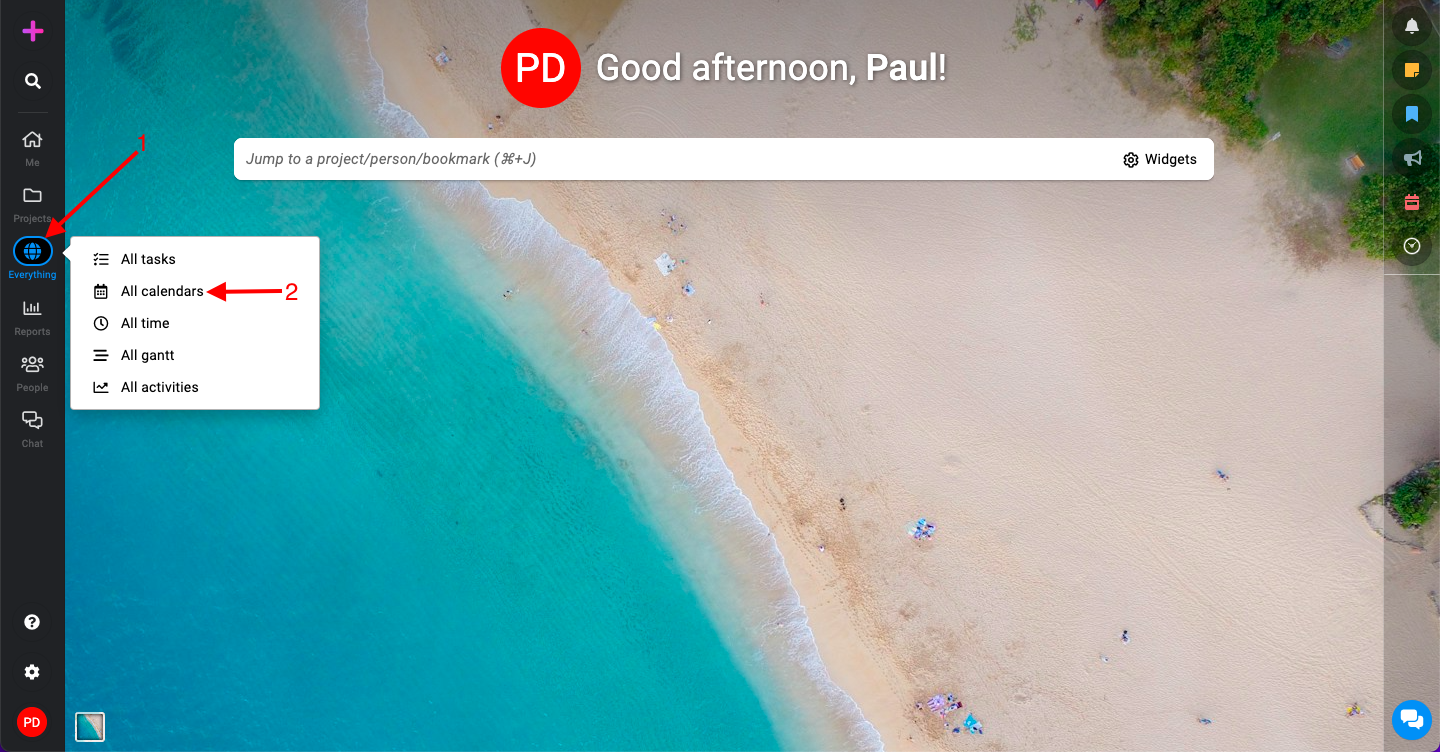
Click on “Everything” and select the “All calendars” option.
-
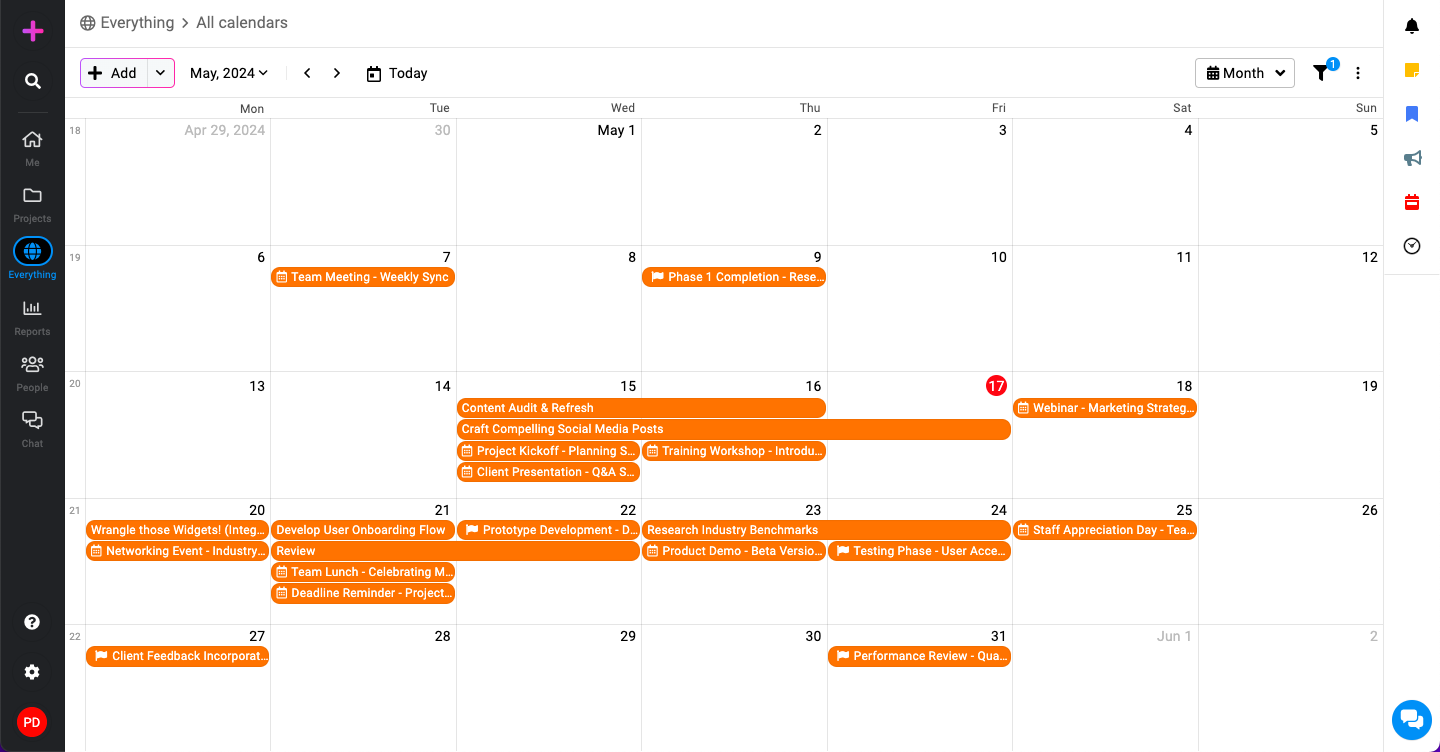
In the “All calendars” view, you will see all calendar items i.e. events, milestones, and tasks across different projects.
Filters
To tailor your calendar view according to specific criteria, you can use the filter options:
-
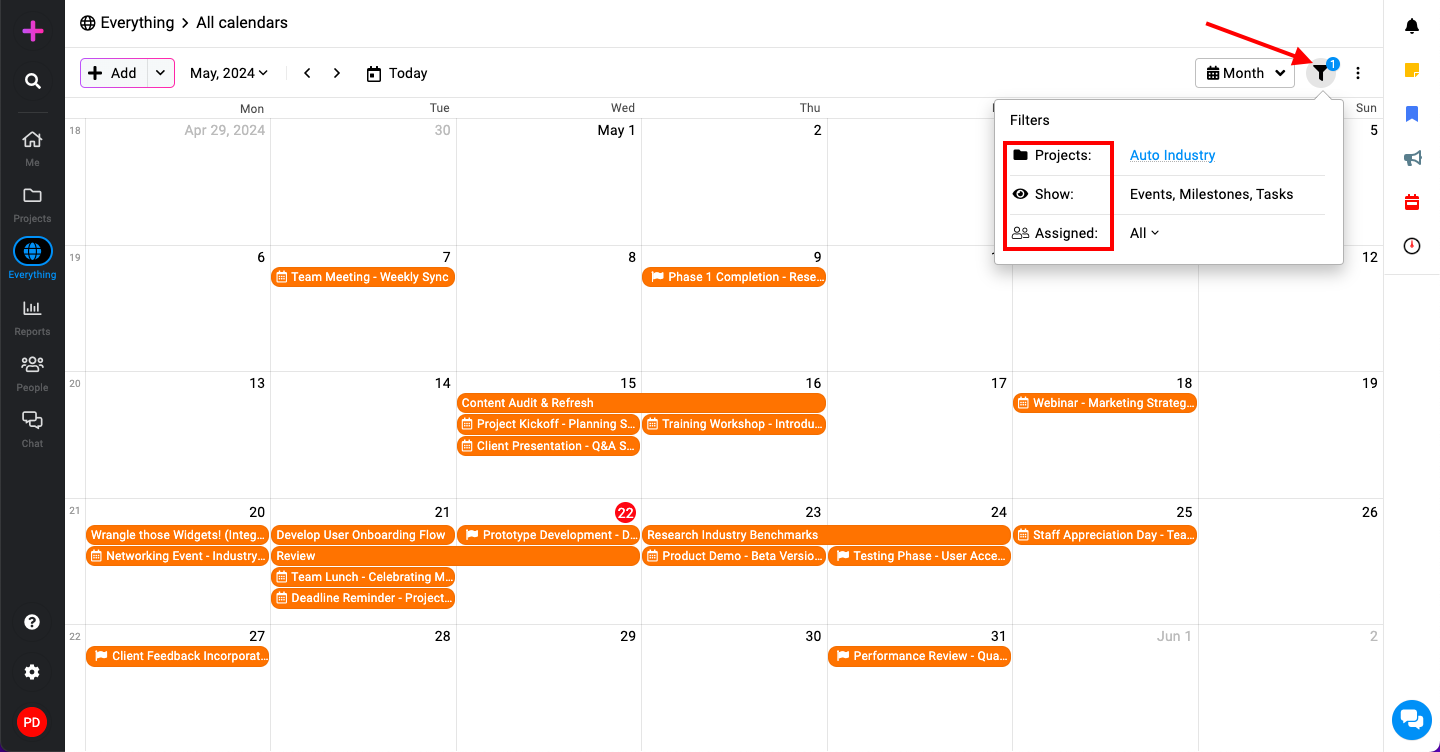
Access filters: Click on the filter icon located at the top right corner of the “All calendars” page.
-
Available filters:
-
Project: Select specific projects to view their associated calendar items.
-
Show: Choose to display events, milestones, and tasks.
-
Assigned: Filter by assigned to see calendar items relevant to specific team members.
-
Subscribe
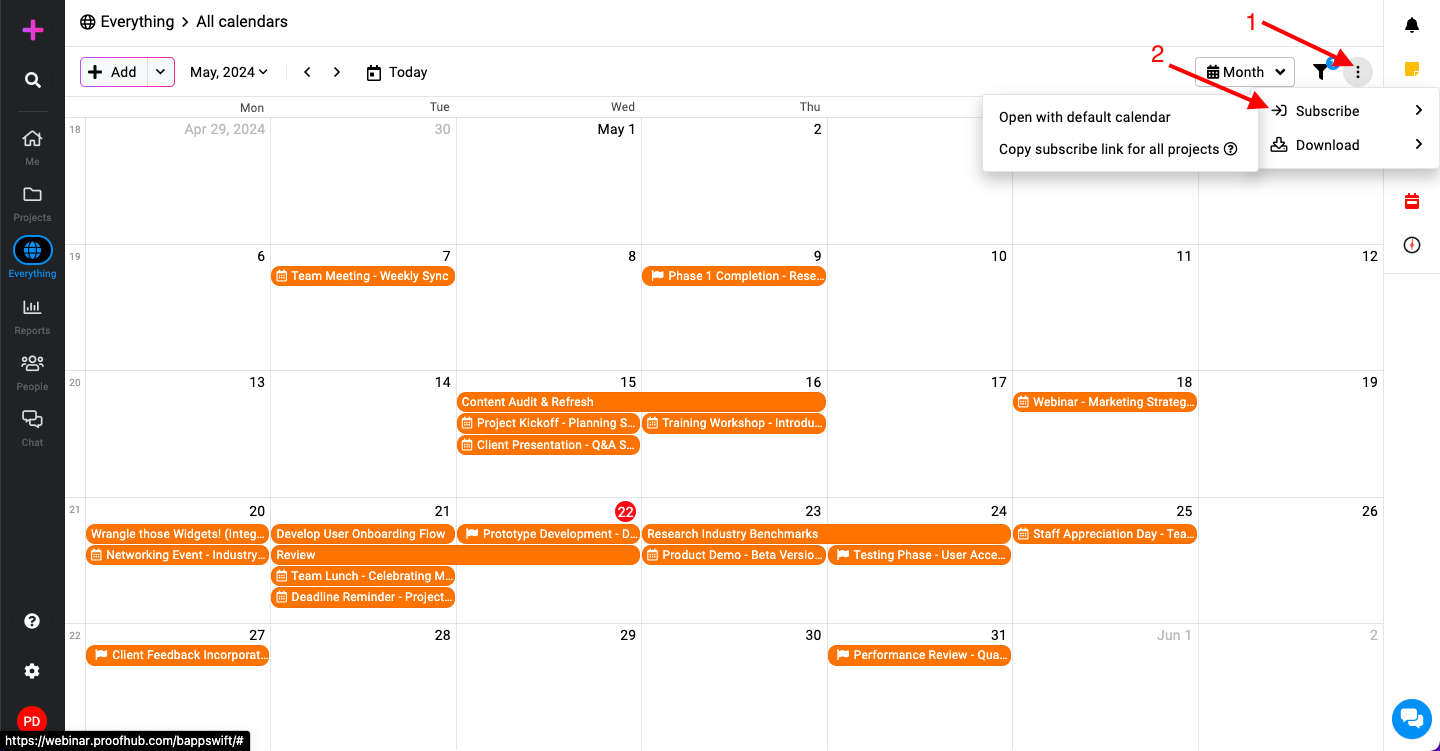
Staying updated with calendar changes is easy with the subscription options, click on the three dots next to the filter icon and select “Subscribe“.
-
Open with default calendar: Choose this option to integrate the calendar with your default calendar application directly.
-
Copy subscribe link for all projects****: Use this option to get a subscription link that you can add to any calendar application that supports external calendars.
Download
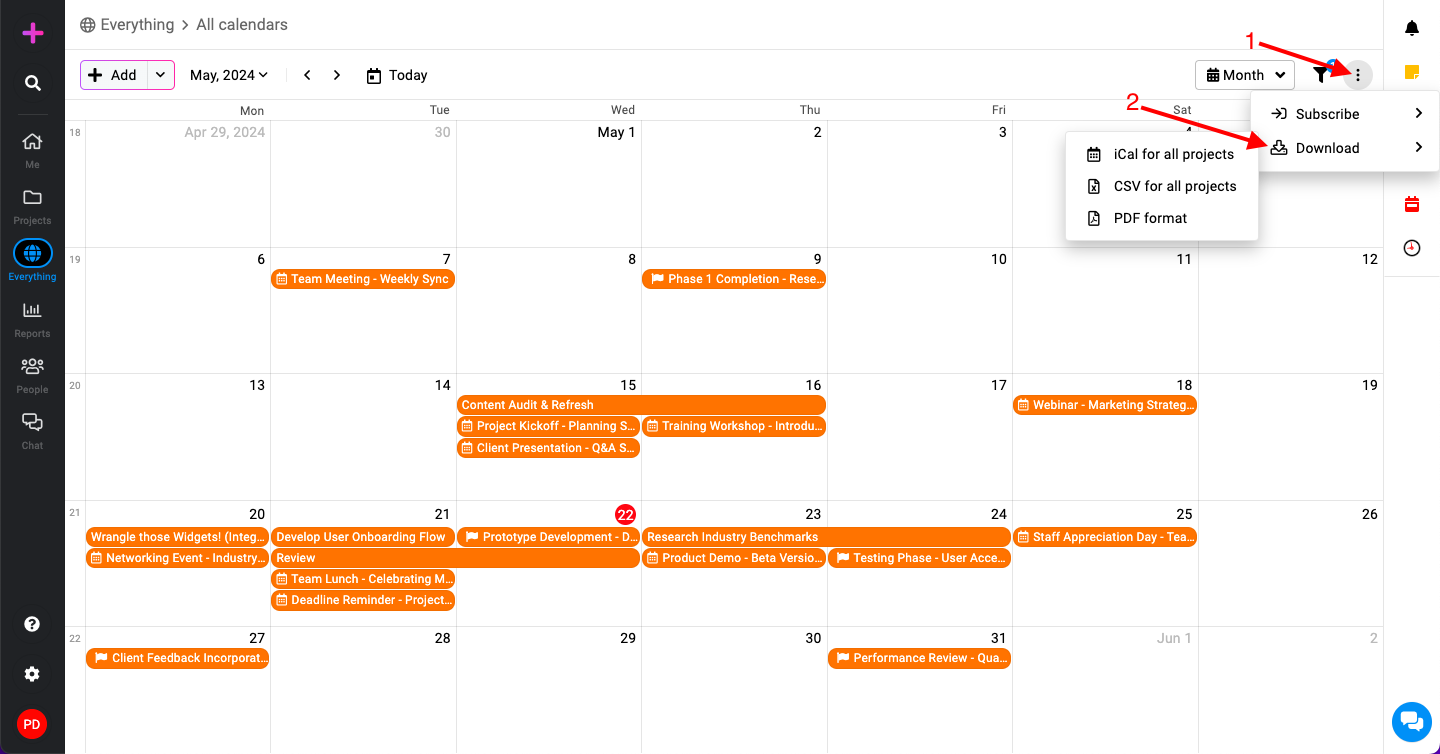
You can download the calendar for offline access or sharing purposes in various formats. Click on the three dots next to the filter icon and select “Download“.
-
iCal: Suitable for importing into most calendar applications.
-
CSV: Useful for spreadsheet applications and data analysis.
-
PDF: Ideal for printing and sharing static calendar views.